
Case study 01 / 03 · Automotive / E-commerce
TruckParts
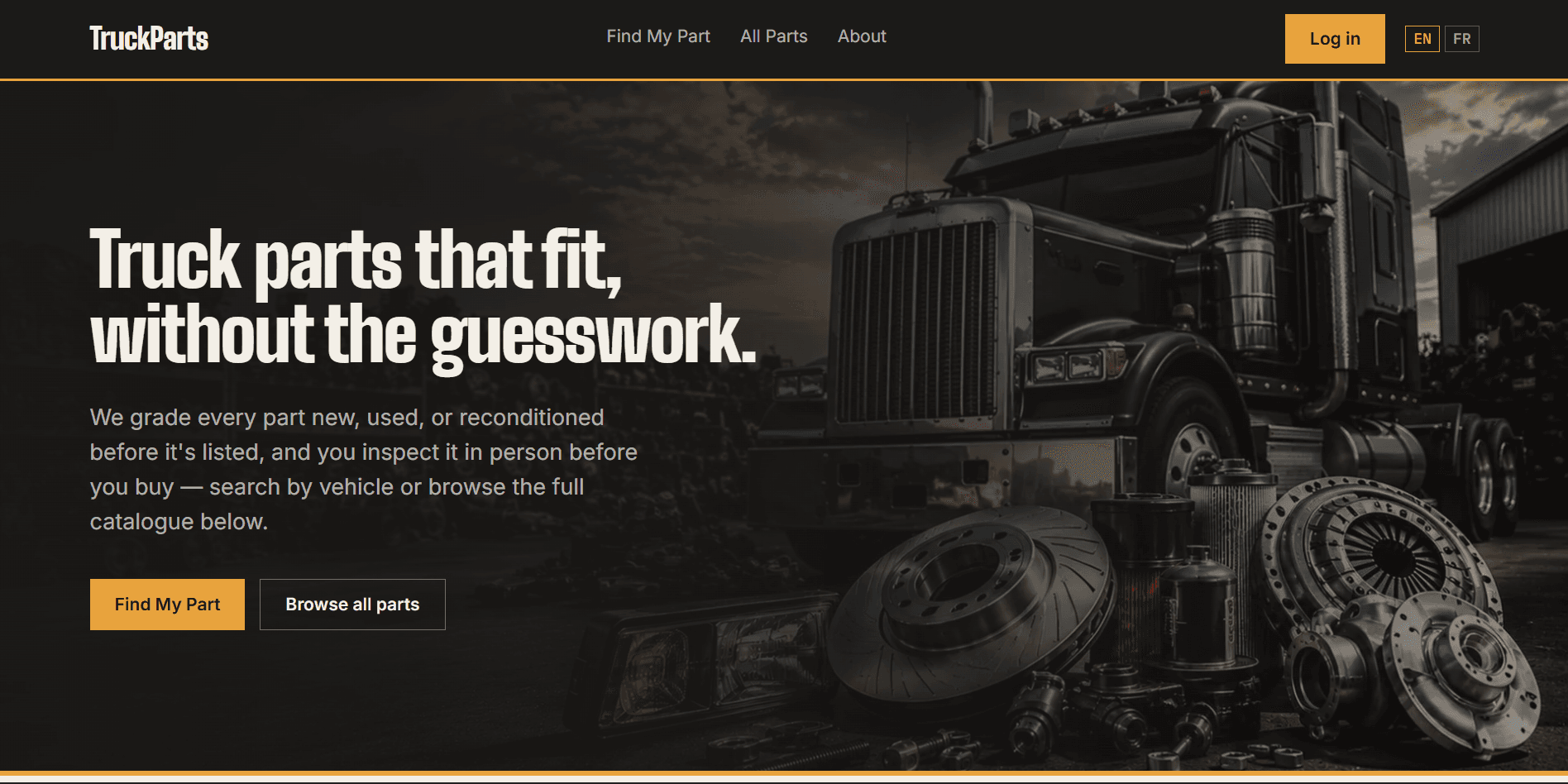
An online store for truck spare parts. Customers can check that a part fits their truck, pay online or at pickup, and track their order. The owner runs everything from an admin panel that also works on a phone.
- Role
- Solo · frontend + backend
- Status
- Demo · payments in Notch Pay test mode
- Stack
- Next.js · NestJS · PostgreSQL
- Updated
- Sept 2026
Want to see the admin panel? The login page has a read-only demo account you can use. Look around freely, nothing you do will change the store. Go to the login page
01
What the client needed, and what I built
A truck parts seller needs more than a list of products. Customers need to know a part fits their truck before they buy. Payments have to be real, not a fake button. And if two people try to buy the last unit at the same time, only one of them should get it. A basic store template doesn't handle any of this.
01 · Fit
ProblemCustomers need to know a part fits their truck before they buy.
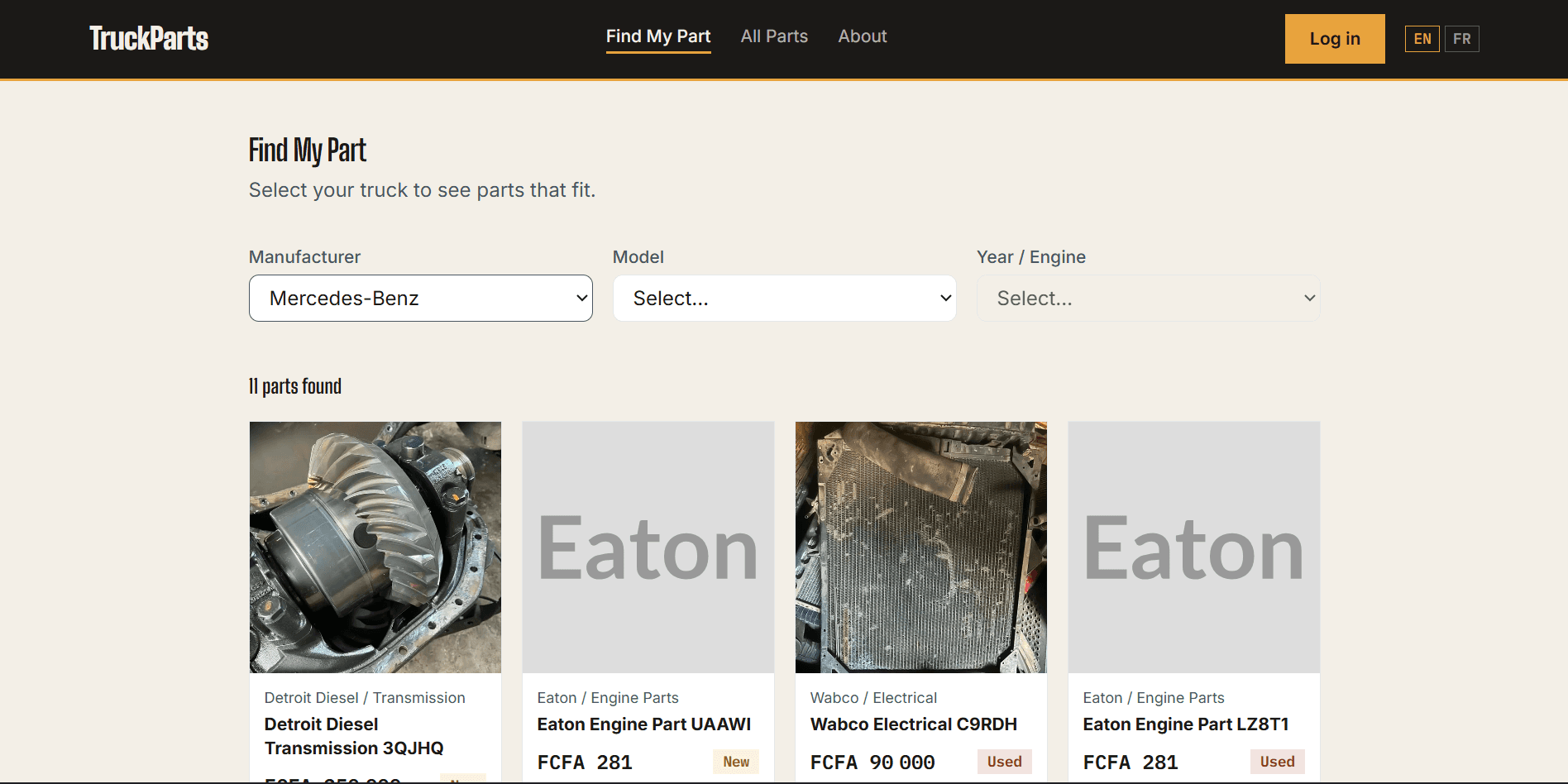
Built"Find My Part": pick the truck's manufacturer, model and year, and only parts that fit are shown.
Parts and vehicles are linked through a compatibility table (one row per part–vehicle pair)
02 · Payment
ProblemA "Paid" button the browser can fake isn't a payment.
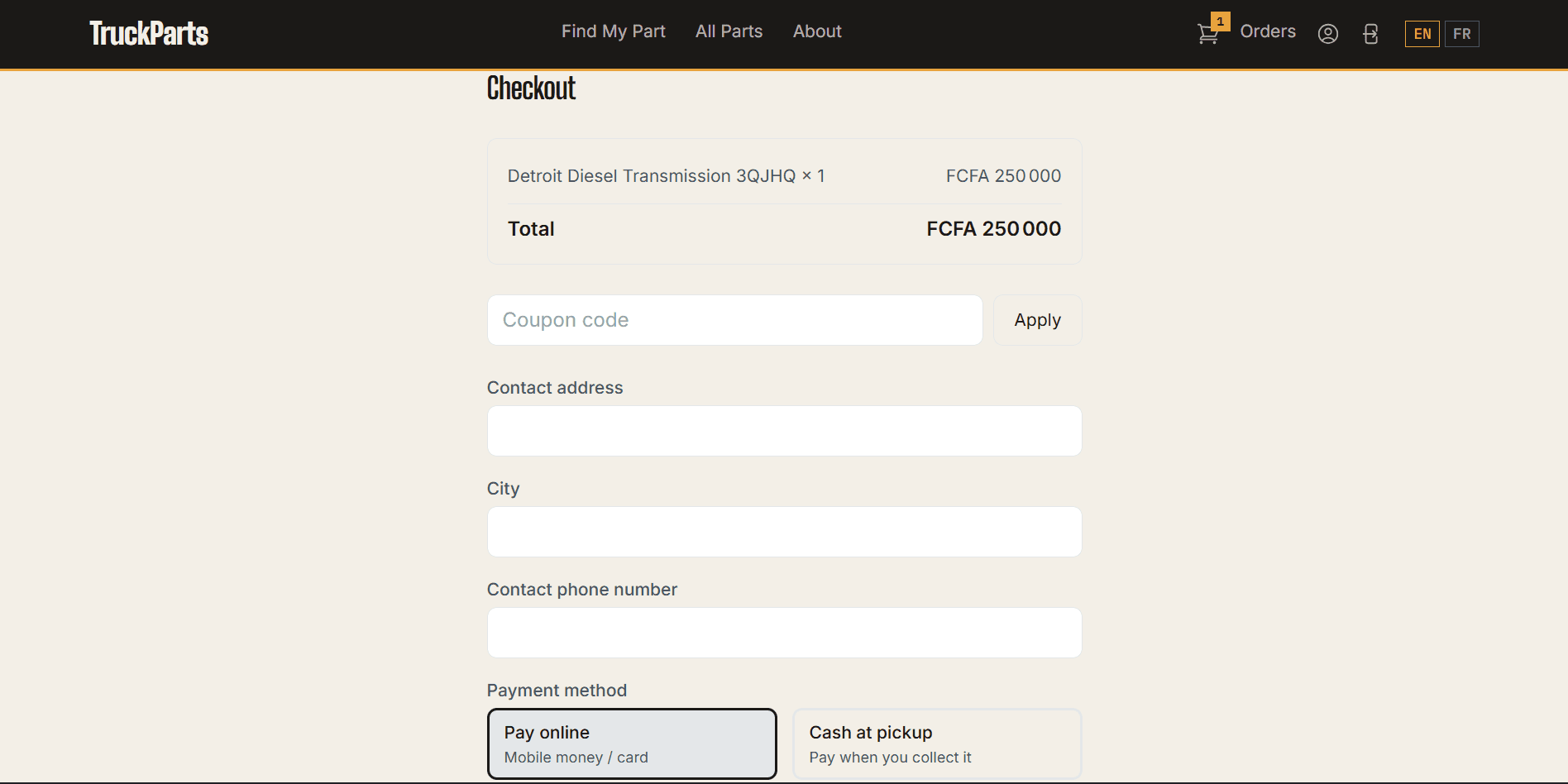
BuiltOrders are marked paid only when Notch Pay confirms: Mobile Money, card, or cash at pickup.
Webhooks checked with an HMAC-SHA256 signature · a late webhook triggers a direct status check
03 · Stock
ProblemTwo customers try to buy the last unit at the same second.
BuiltStock is reserved in one step: one checkout gets it, the other is told it's gone.
One conditional UPDATE … WHERE quantity >= n inside a transaction
All features (10)
- "Find My Part" search: customers filter parts by the truck they own
- Real payments with Notch Pay. Every webhook is checked with an HMAC-SHA256 signature, and if a webhook is late, the backend asks Notch Pay for the payment status directly
- Safe checkout: stock is reserved with one conditional UPDATE inside a transaction, so two customers can't both buy the last unit
- Access tokens stay in memory, never in localStorage. The session lives in an httpOnly refresh cookie, protected by a CSRF token
- Passed an axe-core accessibility audit: landmarks, labeled navigation and WCAG AA color contrast
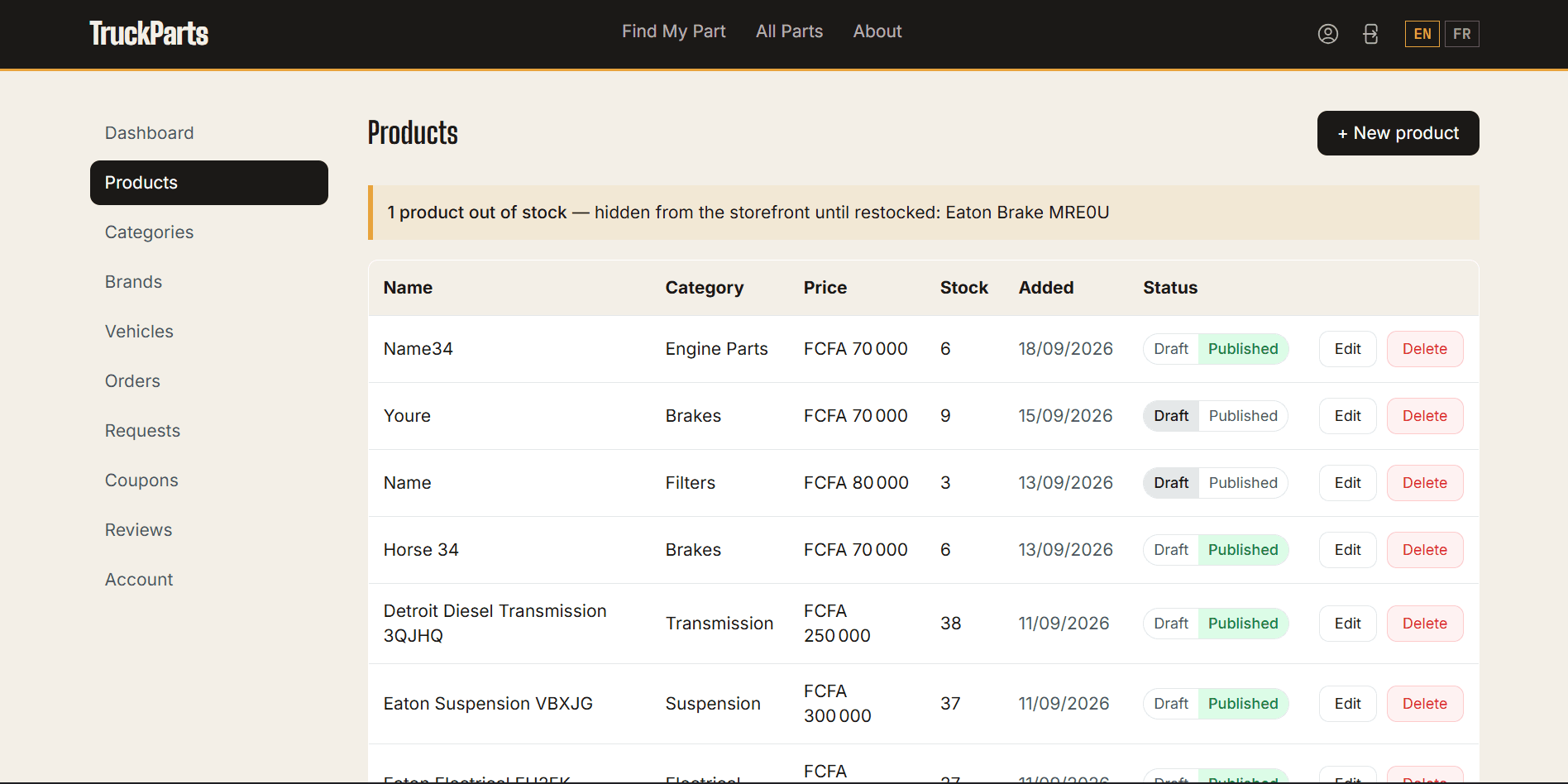
- The admin panel works on phones too. On small screens, lists show as cards instead of tables you have to scroll sideways
- English and French with next-intl. The language is saved in a cookie, not in the URL
- Prices in XAF, a currency with no decimals. Every amount is a whole number, so there are no rounding errors
- Product images are converted to WebP and resized on upload, then served through the backend so the storage is never exposed
- A read-only demo admin, so anyone can explore the admin panel. It's enforced in the backend: the account's token carries a demo flag, and one global NestJS interceptor rejects every change it tries to make
02
How it's built
I built the whole store, frontend and backend. The storefront is in Next.js. It has a "Find My Part" search, a cart, and two ways to pay: online with Notch Pay, or cash at pickup. It also has order tracking, coupons and reviews. Behind it is a NestJS API that handles products, orders and payments for the admin side.
- Frontend
- Next.js + TypeScript + TailwindOne codebase for the store and the admin panel. Server components where they help, and no separate app to host.
- Backend
- NestJS + TypeScriptOne module per area (auth, orders, payments, uploads...). Easier to test and maintain than one big Express app.
- Database
- PostgreSQL + PrismaOrders, stock and payments have to stay correct. A relational database is the right tool for that.
- Object storage
- MinIO locally, Backblaze B2 in productionBoth speak the Amazon S3 protocol, so the same code works on my machine (no cloud account needed) and in production. Switching is only settings.
- Auth
- JWT + httpOnly refresh cookieThe short-lived token stays in memory, where injected scripts can't read it. The longer session is in a cookie JavaScript can't touch.
- Payments
- Notch PayHosted checkout and webhooks, with mobile money support for Central Africa.
03
What was hard
- Stopping overselling. Reading the stock and then updating it can race, so checkout runs one UPDATE ... WHERE quantity >= requested inside a transaction instead.
- Webhooks don't always arrive on time. When an order stays pending, the backend checks the payment status with Notch Pay's API instead of just waiting.
- Adding accessibility after the first build. I ran an axe-core audit and fixed what it found: missing landmarks, unlabeled navigation and low color contrast.
- Making the admin panel usable on a phone. I rebuilt every list as cards on small screens, instead of a table that scrolls sideways.
04
Result
It's live as a demo on Vercel. With the test accounts you can go through the whole flow: browse, check a part fits, add to cart, pay online or at pickup, confirm the payment, track the order, and handle it from the admin side. Payments run on Notch Pay's sandbox, so no real money is charged.
05
Screens
9 screens · tap to enlarge
Need a store like this?
Mobile Money payments, stock that stays right, and an admin you run from your phone.